About PluginInfo
 Overview
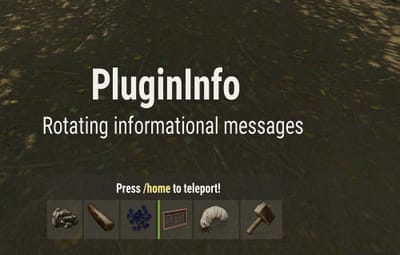
PluginInfo is a lightweight yet powerful informational display system . It rotates through messages defined in your config and allows authorized players to move and resize the text panel client-side using an intuitive control window.
No more static, obstructive text cluttering players’ screens or ChatBox. With PluginInfo, every player can personalize where and how the info bar appears.
 Key Features
✔ Rotating informational messages (Sequential or Random)
✔ Per-player panel movement and scaling (saved across sessions)
✔ Clean UI controller with Move / Size modes
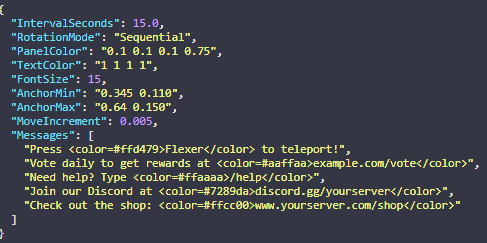
✔ Fully configurable colors, fonts, anchor points
✔ Supports rich text, colors, and formatting
✔ Optimized and performance-friendly
✔ Does not require Image Libraries or extra dependencies
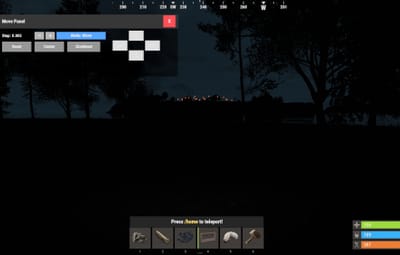
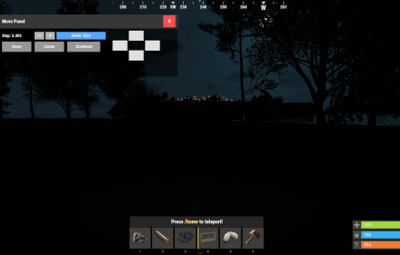
🖥 Player UI Controller
Players can adjust the UI in real time.
Mode: Move – arrows move the panel position.
Mode: Size – arrows resize the background box.
Step Size +/- – control precision.
Reset / Center / Size Reset options.
Close (X) to exit UI instantly.
 Commands
/panelmove Opens the movement/resize Ui
 Permissions
plugininfo.move Allows user to adjust their panel UI
 Installation
1. Upload the .cs file to your /oxide/plugins folder.
2. Edit the generated config to your liking.
3. Reload PluginInfo oxide.reload PluginInfo
4. Grant Permissions oxide.grant group admin plugininfo.move
How To Grant Permissions
Grant to a specific player: oxide.grant user <steamid> plugininfo.move
Grant to a group (e.g., Default): oxide.grant group default plugininfo.move
Grant to a group (e.g., Admin): oxide.grant group admin plugininfo.move
⚙ Configuration