
Vinni_TV_'s Wishlist
-
$5.00
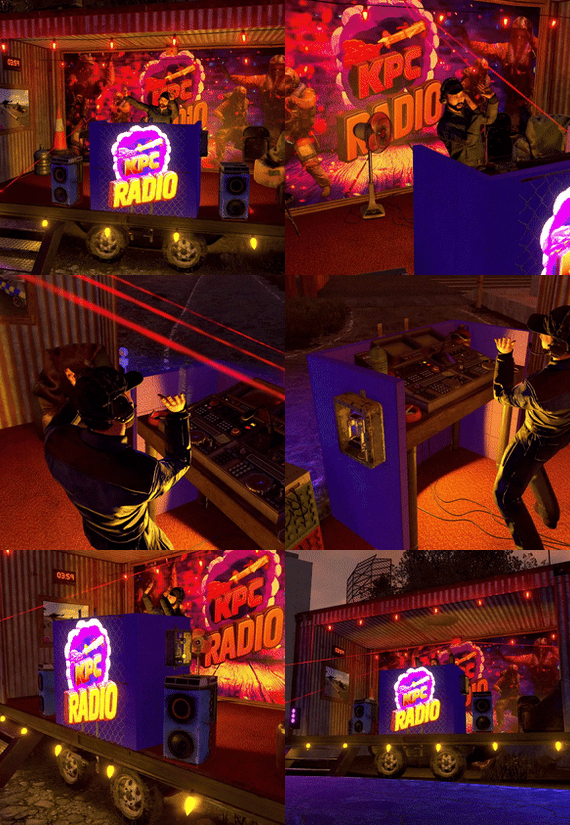
Radio Station Trailer
A small pop-up Radio Station built inside a shipping container on the back of a trailer. 83 prefabs total, no masks included.
Feel free to make it your own by swapping out any materials, a couple of the Tiled Metal Cubes also look good as the container shell, and there are multiple Tiled Dev Cubes to switch out the colour of the DJ booth. There are also a few options of Tiled Cloth Cubes for various floor colours.
Featuring:
* Fully hooked up lights & speakers from the boombox
* 3 pictureframes and 1 neon sign for your logos to be added (using a plugin like SignArtist/AutoSigns etc)
* 3 mountable chairs & a detailed DJ Booth
* Options to plug in more lights/lazers using the Connected Speaker outputs
A cool feature of hooking up the boombox directly to connected speakers in RustEdit is that they output full quality sound instead of the regular tinny sound! I haven't tested extreme distances but it seems you can plug them in way beyond the in game limits and have a huge spead of good quality audio.
I would reccomend installing the RustEdit DLL to prevent deployables being able to be destroyed.
- #radio station
- #trailer
- (and 5 more)
-
$9.90
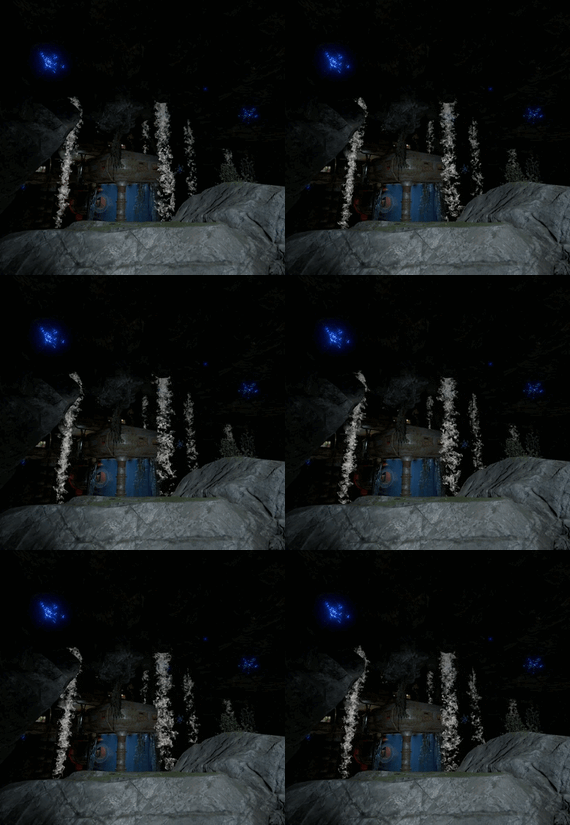
Sea Cave 🤿
A beautiful underwater cave, created to enhance and diversify ocean gameplay, perfectly fitting the new marine update from Facepunch.
The cave does not appear on the map, adding a sense of exploration and mystery — players will have to discover it on their own.
(You may place a monument marker if you prefer to make it visible)
Everything is built in the authentic Rust style, from lighting to environmental details.
You can enter the cave in two ways:
By swimming through the natural cave entrance,
or via the connected laboratory, which leads into the main chamber.
At the top level, there’s a custom laboratory room guarded by four scientists, containing valuable loot that requires green, blue, and red keycards to access.
Rust - 2025-11-06 05-20-47.mp4 -
$2.00
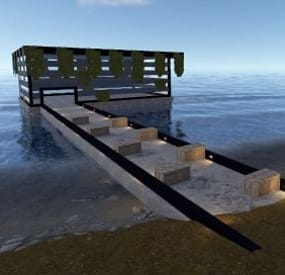
Beach house
A small building area on the shoreline. Don't forget to use prefab modifiers if necessary.
-
.thumb.png.a167af6d204c8731865ddb8c7651fe66.png)
$12.69
Static Lootables
By Raul-Sorin Sorban in Plugins
Ever wondered why Rust has so many desks, toilets, boxes and even washing machines but you've never been able to see the hidden secrets inside? Now you can!
With Static Lootables you can turn those boring props into loot containers filled with all sorts of goodies. Loot containers that aren't normally supposed to be looted. For best experience, have the UI scale set to 1.
Lootables are being refilled based on each individual configuration set.
Compatible with Static Lootables:
Lootables.Ext
$5.26
Prefab creator that directly works with Static Lootables in order to create custom lootable definitions for your servers!
This plugin provides more than there already is.
See it in action here.
or get it as a bundle! ->
Editor
This plugin now has an integrated editor that allows anyone with the permission to customize the loot that can be found in-game in defined static lootables.
Scroll to the bottom of this page to see it in action.
Modify lootables using all the tools in-game. Update global settings to your liking on the fly.
Dependencies
ImageLibrary (Required) QuickSort ZoneManager
Permissions
StaticLootables.admin: Use the MMB when not holding any item to privately print the name of the object in front of you to chat. StaticLootables.editor: Allows players with the permission to use the /sledit command, which gives them the power to create/update/delete lootables using the editor.
Features
Highly customizable and intuitive system. ZoneManager inclusion / exclusion (per lootable prefab OR global settings). Parented filtering. Locked container system. Hacking system. Interaction icons (with template), customized text and opening container effects. Individual lootable container refilling rates. Consistent support & open to suggestions. Very user-friendly editor for server owners to modify or customize lootables. Unique System: create lootables that only apply on one or more prefabs. Integrated API for manipulating lootable definitions.
Get the default loot-tables
They will be updated in the future. Add StaticLootables.json to your oxide/config folder.
Updated on 23th of October, 2021 #13 (OLD): StaticLootables.json
Updated on 9th of July, 2023 (NEW): StaticLootables.json
To create your own custom icons, you can use this template: staticlootables_template.zip
Please make sure you maintain the margins as weird artifacts will show up if the icons are touching the edges of the icon, in-game.
Lootable Objects
Supermarket Cash Register (locked, 500 HP) Toilets Cardboard Boxes Lockers (closed models are locked, 50 HP) File Cabinets (locked, 50 HP) Desks (locked, 250 HP) Kitchen Fridges Electrical Boxes Washing Machine Trash Bag Gas Pumps Toolboxes (locked, 100 HP) Plant Pots Type-writers Kitchen Cooker (Underwater Labs) Pickup Truck (Rusty), Sedan A (Junkyard), Compact Car C (all locked, 75 HP), can be accessed anywhere but Junkyard Barge Coal Metal Crate (B) (locked, 500 HP; hackable, 120s, code resets every 300m) NEW Pallet Stacks (A-through-C) NEW Bin NEW Vodka Bottle Your suggestions are welcome!
If there are any ideas in regards to prefabs or possible loot to find in them, use the Discussion tab to let me know about it so I add it for everyone to use.
Hacking
This is how Hackable containers work and why they're an OP mini-game:
Hacking one will give you the PIN which will allow you to use with the container for a couple of hours 'till it becomes obsolete and resets. If one has hacked a container, the next hack will double in the amount of time taken. X3 for the third hack, and so on. The PIN can be shared within the team so they can come back every a couple a minutes and loot the hacked box. Press R when looking at an unlocked hacked container to pull up the PIN dialog.
API
Be creative!
Information
Here's to clarify how config properties work and what they mean.
General Settings
Distance: The maximum distance between the player and container. ItemAmountMultiplier: The multiplier for the amount of the items found in containers. LootableHealthMultiplier: The multiplier of the (maximum) health of locked lootable containers. ShadowOpacity: The white glow behind the text which highlights the text more in the dark. ShowLockedLootableApproximateCount: Shows the amount next to the health bar of containers. (e.g ~2 ITEMS APPX.) DamageMultiplierMinimum: The minimum damage dealt to the locked containers by melee weapons. Maximum does the same but for maximum. DamageCUIRefreshRate: The refresh rate for the CUI when containers are being hit at a high rate (with a jackhammer for example). Recommended 0.5. EnforcedFilters: It disallows all definitions from being lootable if their path contain the parent names in this array. EnforcedInZone: It only allows definitions to be lootable only within the zone(s) defined in this array. EnforcedNotInZone: It only allows definitions to be lootable when they're out of the zone(s) defined in this array. Interaction Settings
Icon: The icon of the interaction definition. Text: The text of the interaction definition. OpenEffect: The (usually sound) effect of the interaction definition. Definition Settings
PrefabFilter: The prefab name used by the definition to set this definition as lootable. InteractionIndex: The index of the interaction defined in the Interactions array. It starts at 0. ContainerSize: The slot count of the container non-relative to the contents defined in the contents array. AllowStack: Can items in the container stacked. Mainly used if you have 2 or more slots that have the same kind of item. Liquid: Marks the container as liquid. If this is set to true, no matter the contents defined, only liquid objects (water, salt water, blood?) can get in. Lock: Health: The maximum health of a container. Set to null if you wanna disable it. (e.g "Lock": null) Hack: Wait Time: The time in seconds! players have to wait for the initial hacking attempt. Code Resetting Rate: The time in minutes! until the hack resets the PIN and goes down an increment for how many times has been hacked used for the Wait Time multiplier. Rule: Refill Rate: The rate in minutes! until the container gets wiped from the server & memory is being freed for server resource reasons. OnlyIfParentFilter: It allows all definitions to be lootable if their path contain the parent names in this array. OnlyIfNotParentFilter: It disallows all definitions from being lootable if their path contain the parent names in this array. OnlyIfInZone: It only allows definitions to be lootable only within the zone(s) defined in this array. OnlyIfNotInZone: It only allows definitions to be lootable when they're out of the zone(s) defined in this array. Contents: ShortName: The short name of the item definition. CustomName: The in-game name of the item. SkinId: The skin of the ID. UseRandomSkins: Use the RandomSkins array to create more variety on what skinned items are used. SkinId: The skin of the ID. RandomSkins: The skin ID array used in replacement of SkinID when UseRandomSkins is true. MinimumAmount: The minimum range used for the item amount randomisation. MaximumAmount: The maximum range used for the item amount randomisation. ConditionMinimumAmount: The minimum range used for the item condition / durability randomisation. ConditionMaximumAmount: The maximum range used for the item condition / durability randomisation. SpawnChanceTimes: How many times in the SpawnChanceScale will it be likely for the item to be spawned. SpawnChanceScale: The scale of the odds for the item to be spawned. Contents: It's recursive, has the exact same content structure as this property.
Installation
Download the config which can be found above on this page. Put it in the oxide/config folder. Put StaticLootables.cs file in oxide/plugins. You're good to go! FOR BEST ENTERTAINMENT, USE THE DEFAULT SETTINGS OF THE PLUGIN.
Screenshots
Videos
* The annoying flicker has been fixed in the live version, this was recorded while testing.
-
.thumb.png.9a12c819d22cdd6f03dc06bee65f43d1.png)
$7.26
Static Trader
By Raul-Sorin Sorban in Plugins
A plugin that allows players to trade items at long distances across the map. Server owners can also set fees that scale based on the distance between the two players that are trading.
FEATURES
Customizable commands Intuitive UI (can modify the position offset) Trading fees based on distance Oxide group cooldowns ServerRewards, Economics or custom bank support Notification effects & success SFX UI player list which you can quickly send trade invites of your team or server players, with pagination and input filter Language support
PERMISSIONS
StaticTrader.use: To allow anyone to send trading requests to anyone. Players without this permission that have been sent a request to, can still accept the trade.
COMMANDS (CONFIGURABLE)
Following commands are chat and console commands.
trade <player> atrade [<player>]: Accept pending trade. <player> input is optional, can exclude if there aren't more than one pending trades. dtrade [<player>]: Decline pending trade. <player> input is optional, can exclude if there aren't more than one pending trades. ltrade: Opens the player list UI on which you can browse or search through and click on them to request a trade with them.
RULES
Can('t) trade while building blocked. Can('t) trade while combat blocked. Can('t) trade while raid blocked.
CONFIG