


Khan
-
Posts
1,096 -
Joined
-
Days Won
8
Content Type
Profiles
Warranty Claims
Downloads
Forums
Store
Services
Downloads Plus Support
DOWNLOADS EXTRA
Support Replies posted by Khan
-
-
Stack Modifier does not support third-party plugins that interfere with item handling or cause item-related issues.
Good news: an update coming later this month or early next will include built-in sorting functionality, helping prevent conflicts with third-party sorting plugins.
-
Changed Status from Pending to Not a Bug
-
Changed Status from Pending to Not a Bug
-
I'm sorry but I am not experiencing any problems with stacks, It's most likely skill tree if you are using it for item repairs. Or another plugin you have.
-
Yeah after re-testing I can verify that it is indeed happening on some game items but not all.
I will try and see if I can get an update out for it this week. -
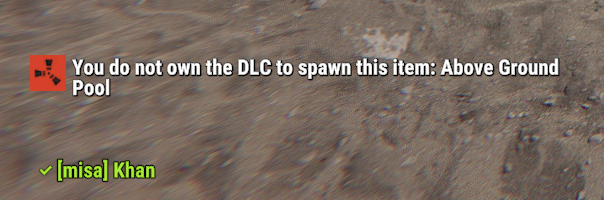
If you are testing as an Admin/OwnerId on the server it will always let you spawn DLC items regardless if you gave yourself permission.
Otherwise if it's affecting normal players check and make sure they don't have the permission f1spawn.dlc with something like a permission manager plugin.
I don't experience this issue on my test server.
It's also possible you have another plugin giving the players blueprint access to dlc related items. Which would bypass the DLC checks.

If it's specific DLC content that's still getting through please let me know and I will re-test. -
Yes, It won't work with that plugin, I'll just have to add skin support to bgrade.
-
Hello, this issue is not caused by stack modifier, but another plugin you are currently running.
Please unload all other plugins and re-test with just stack modifier and it should work fine.
Once you find the plugin causing the bug please let me know so that I can further assist you.
-
Have you tried unloading virtual recycler and using a normal recycler? Should work.
-
Aye, thanks for letting me know, i'm pretty busy with a family thing, I'll try an get to it next weekend.
-
 1
1
-
-
Changed Status from Pending to Fixed
Changed Fixed In to Next Version
-
Hello, I apologize for the delay in updates on this, since the deep sea release the water system logic has changed a lot and due to that all of the logic needs to be resorted because now I have to determine the difference in depth between the sea and normal water and then land height etc.
The deep sea changed all of the old water code checks as well, I will try and have an update out for this by next sometime, possibly sooner.
-
1
-
-
I will work on an update to allow configuration options like that.
-
Changed Status from Pending to Fixed
Changed Fixed In to 2.9.93
-
Yes, I am aware of the issue, I am trying to find some time to patch it.
-
Changed Status from Pending to Closed
-
If you have certain plugins they mess with the default logging system and will cause that when mine is loaded.
I recommend reviewing the docs for any plugins that are known to cause this bug.
A server restart without it installed should resolve the issue, if it doesn't then msg me in discord /
-
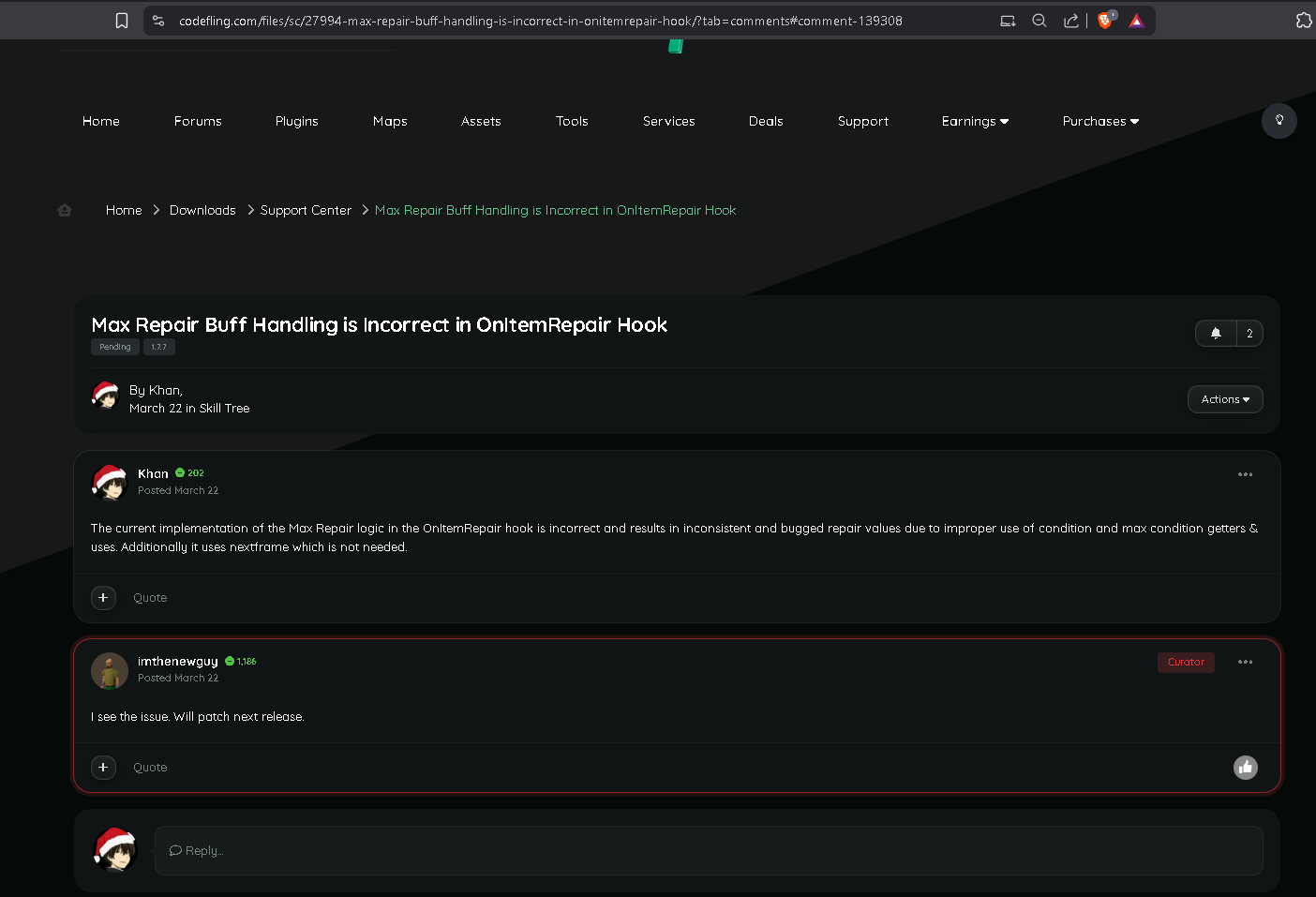
The current implementation of the Max Repair logic in the OnItemRepair hook is incorrect and results in inconsistent and bugged repair values due to improper use of condition and max condition getters & uses. Additionally it uses nextframe which is not needed.
-
After discussing and reviewing the issue with zilch in discord, we have determined the repair issues to be Skill Tree related specifically with the MaxRepair buff under the black smith skill-tree section.
un-related to stack-modifier. -
The new Latest should resolve that issue
-
Changed Fixed In from 2.9.91 to 2.9.92
-
I apologize, you are correct it indeed is a new bug.
Working on a patch now
-
1
-
-
Changed Status from Pending to Fixed
Changed Fixed In to 2.9.91
-
please update to latest, latest is 2.9.91.
You appear to be on an older version -
Hello,
Thank you for bringing this to my attention.
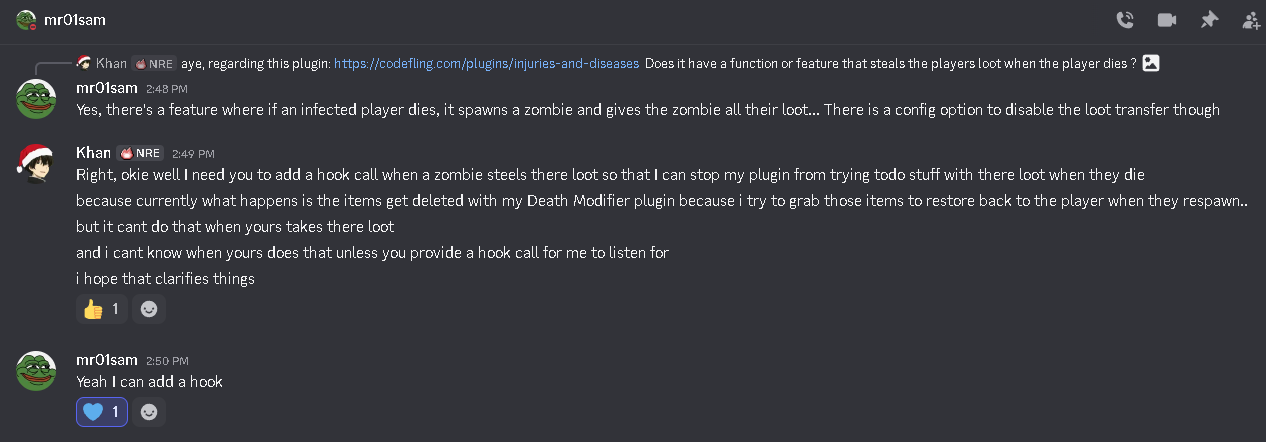
After looking into the behavior you described, I was able to confirm that the issue occurs when the "Injuries And Diseases" plugin transfers the player's inventory to a spawned zombie on death. Because that plugin removes the items from the player before my plugin processes the death event, my plugin cannot access the inventory it expects to restore later, which results in the items effectively disappearing.
I have already reached out to the developer of the "Injuries And Diseases" plugin, and we are currently working together to resolve this interaction. They have confirmed that they will be adding a hook that will allow my plugin to detect when a zombie takes the player's inventory so it can properly handle that situation.
In the meantime, there is also a configuration option in the "Injuries And Diseases" plugin that disables the loot transfer to zombies, which will prevent this behavior from occurring until the compatibility update is released.Once the hook is added on their side, I will include compatibility support in the next update of Death Modifier so both plugins can function together correctly.
I appreciate you reporting this, as it helped identify the interaction between the two plugins. Please let me know if you would like assistance adjusting the configuration in the meantime.
-
1
-
-
Changed Status from Pending to Not a Bug
-
Oxide already prevents duplicate command registrations internally. Commands are stored in a dictionary, and attempting to register the same command again simply results in a warning rather than creating another entry. Because of this, duplicate command registration cannot cause the error you referenced.
The error Symbol table grew beyond unsigned short indicates that tens of thousands of unique strings are being inserted into Rust’s internal symbol table. This typically occurs when something repeatedly generates dynamic strings (for example entity names, or other identifiers) until the 16-bit symbol limit is exceeded.
Stack Modifier does not generate dynamic commands, permissions, or entity names, and therefore cannot produce this error. In other words, Stack Modifier does not and cannot cause the issue you are experiencing. I would recommend checking other plugins or reviewing your server logs to identify what is generating excessive unique symbols.
-
1
-
-
First, Oxide already handles all command and permission registrations for plugins internally. Adding a manual guard like the one suggested would not resolve the error you mentioned.
Second, there are no server logs provided in your report. Without the actual crash log or stack trace from the server, there’s no way to determine what is occurring on your end.
Third, command duplication would not cause a server crash. Even if a command were registered more than once, Oxide handles that safely and it would not produce the error you referenced.
If you're encountering a crash, please provide the full server logs around the time of the crash so the issue can actually be investigated.
-
Changed Status from Pending to Closed
-
Changed Status from Pending to Closed
-
Yes that error very clearly states it's occurring in a method that I don't touch ( OnMaxstackable ) and it's a harmony patch created by Epic Loot there's nothing I can do to fix that.
Please reach out to imthenewguy with a support ticket report.EpicLoot+Item_MaxStackable_Patch
-
Changed Status from Pending to Fixed
Changed Fixed In to 1.1.3
-
I honestly didn't think anyone was still using this thing.
One sec / -
Changed Status from Pending to Fixed
Changed Fixed In to 1.1.6
-
Changed Status from Not a Bug to Fixed
Changed Fixed In to 2.9.7
-
Changed Status from Pending to Not a Bug
-
Turns out that was DLC items.
-
stacks don't revert back to vanilla unless something happened to the config file, please send the current config file you have and the server log from when it wiped the config file.
-
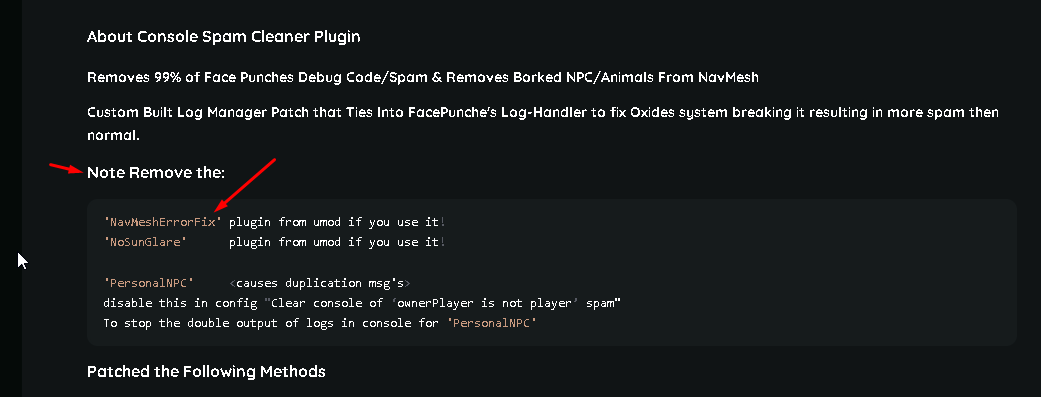
If you happen to use a plugin on umod called Corpse Location please make sure you remove it as it is bricking player save data and causing server crashes.
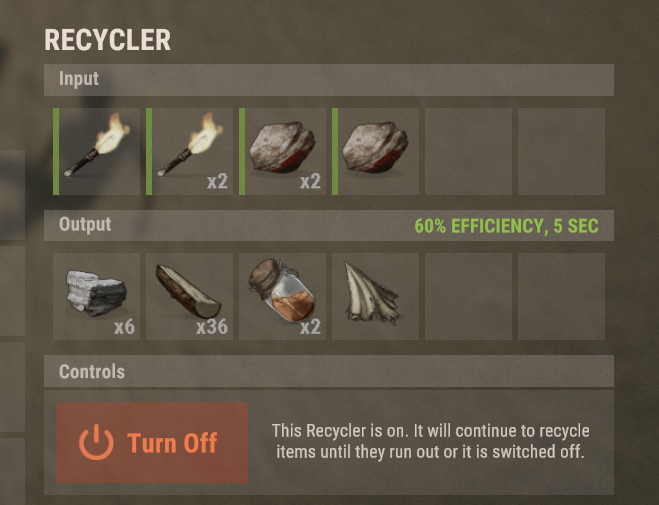
Regarding recyclers, they are working just fine for me, are you by chance using a mod for them?
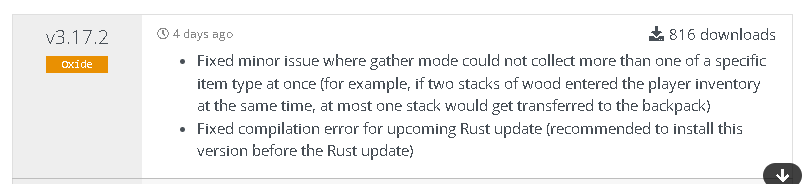
Additionally if you use a plugin on umod called Backpacks by whitethunder
please make sure you are on the latest update since that also causes bugs with stacking if you are not on version 3.17.2
-
Changed Status from Pending to Closed
-
This issue is from a umod plugin called Corpse Location on umod.
https://umod.org/plugins/corpse-location
You need to update to latest 2.4.0 and wipe your server. -
Changed Status from Pending to Not a Bug
-
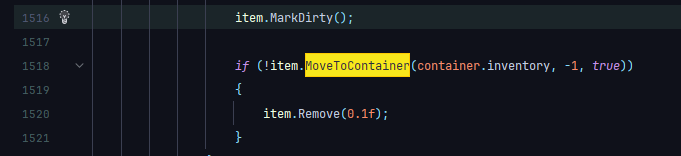
That is occurring because the developer has not yet been made aware that new item creations don't have null parents anymore since last months updates and doing this results in items never being moved.
the fix is to simply do this right before trying to move the item.if (item.parent != null) item.SetParent((ItemContainer)null);
Even without stack modifier loaded you'd still have that problem with those plugins. -
Changed Status from Not a Bug to Closed
-
Changed Status from Pending to Not a Bug
-
Are you currently using Custom Item Definitions?
From the behavior you’re describing, this appears consistent with how that plugin modifies item data. It dynamically creates custom item instances, which can cause stacking logic to behave differently or produce unexpected results.
If you are running Custom Item Definitions, that is very likely the source of the issue.
For clarity: I do not officially support integrations with Custom Item Definitions or other plugins that fundamentally alter item definitions. Because those plugins modify core item behavior, they can conflict with stack logic in ways that are outside the intended scope of this plugin.
If an issue is confirmed to originate from Custom Item Definitions (or similar plugins), I won’t be implementing compatibility patches specifically for it.
If you'd like, you can temporarily disable it and test again that will confirm whether it’s the root cause.
-
Changed Status from Pending to Fixed
Changed Fixed In to 2.9.0
-
Fixed in latest update.
-
Changed Status from Pending to Fixed
Changed Fixed In to 1.4.11
-
Well is that an Auto Kit?
Like do they redeem it automatically when they respawn ?
Any auto kit will not be supported/granted because otherwise how am I supposed to return there previous items they had?
-
@RickySpanish
lemme know if this is still a problem in the latest update -
Changed Status from Pending to Fixed
Changed Fixed In to 1.2.4
-
still working on it, should have it out this weekend sometime /
-
thank you for letting me know I will take a look an see if I can get an update out today for it /
-
Lower move frequency = faster moving,
Higher move frequency = slower moving.
This controls the time interval of how quickly it's moves items in the conveyors.
I would recommend setting the max stack size per move to whatever your highest set stack limit is.
To reduce the amount of moves it has to process each time & to keep performance up.
So 5-mil is fine. -
Changed Status from Pending to Fixed
Changed Fixed In to 2.8.31
-
hello, this was a bug with the broken item code-check caused by 3rd party plugins changes to items, this issue has been resolved in the latest update.
-
Changed Status from Pending to Fixed
Changed Fixed In to 2.8.31
-
Changed Status from Pending to Fixed
Changed Fixed In to 2.8.31
-
Changed Status from Pending to Closed
-
Changed Status from Pending to Not a Bug
-
Okie, so lemme explain a few things.
1. You cannot add or remove items from the config, the config is auto-generated and auto-handled by the plugin.
2. I don't support custom items from plugins that rely on this mod because it simply isn't possible without rewriting my whole plugin to support it.
+ Doing so would make it hard to continue to maintain.
3. The problem you are having isn't with custom items, it's with custom Item Definitions.
4. You will not find any stack plugin that supports mods made with this plugin. -
If you could post the config file and the map that you are using ( like seed & map size ).
Or like send it to me on discord if you don't want it public here. -
Yes if the map wipes config regens, I'll take a look an see if I can get an update out this weekend to address those issues.
-
I don't know what kind of config you setup but it basically speaks for it's self.
The image you gave it was too big to post to discord. -
There's really no reason the stack should be denied from VehicleBuy.
So they will need to update there plugin to allow stack modifier to handle item stacking. -
Changed Status from Pending to Closed
-
Changed Status from Work in Progress to Fixed
-
Changed Status from Pending to Work in Progress
Changed Fixed In to Next Version
-
Aye, thank you for reporting this issue, I am currently working on fixing it and will have an update out shortly that will fix several issues I found.
Also thanks for including the config file as it really helps speed the debugging process along because I don't have to play the 21 guessing game of which combination causes the bug. -
Changed Status from Work in Progress to Fixed
Changed Fixed In to 2.8.30
-
Changed Status from Pending to Work in Progress
-
Hello, that is not a stacking bug.
That would be a Stacked Item Split bug which are 2 different things.
I will release an update shortly to address this.
Example:
If the bug happened when stacking an item that would be a stack bug.Example:
If the bug happened while splitting an item from a stack that would be an item split bug.
Code logic wise it's 2 completely different things & same for in-game re-creation ability. -
Best settings for these?
in Stack Modifier Industrial
Posted
Changed Status from Pending to Closed