
-
Posts
56 -
Joined
-
Last visited
Content Type
Profiles
Warranty Claims
Downloads
Forums
Store
Services
Downloads Plus Support
DOWNLOADS EXTRA
Everything posted by Promeus
-
 Look like there were some broken links on the description page. Thank you for bringing them to my attention. They have been resolved!
 -
 I believe I have converted from that system before. If you would like to send me a portion of your users, I can make sure before you purchase.
 -
Version 1.0.0
3 downloads
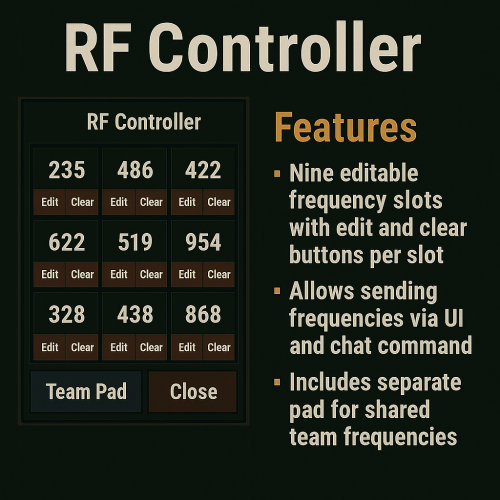
RF Controller — Immersive Radio Frequency Controller for Rust RF Controller brings a visual and interactive keypad system to your Rust server, allowing players to control radio frequencies through an intuitive in-game UI or easy to use chat commands. Designed to eliminate the need for editing or carrying multiple RF Transmitters, this plugin empowers players with fast and immersive access to RF broadcasting. Key Features Nine-Slot Frequency Pad Each player gets a visual 3x3 keypad UI with 9 assignable frequency slots. Each slot includes buttons for: Broadcast (click the frequency) Edit (set a new frequency) Clear (reset to 0) Digital Frequency Entry UI When editing a slot, players are presented with a clean, digit-based input panel that mimics a keypad. Personal & Team Pads Players can toggle between their personal RF pad and a shared team pad. Team pads sync across all members and allow for group-coordinated setups. Broadcast from Chat Frequencies can also be triggered without opening the UI by using simple chat commands: `/rfpad <slot>` — broadcasts the frequency saved in your personal pad `/rfpad team <slot>` — broadcasts the frequency saved in your team pad Timed Broadcasting per Slot Each slot triggers a short-lived RF broadcaster entity at the player’s position. The signal lasts for 2 seconds and has a built-in cooldown to prevent spam. Simultaneous Slot Support Multiple frequencies can be broadcast simultaneously. Each slot uses its own broadcaster, with dynamic spacing to avoid stacking issues. Stylized, Game-Matching UI The plugin includes a built-in Rust-themed UI. Use Cases Traps & Ambushes Set up a pad to control flame turrets, door triggers, or C4 on demand. Team Base Defense Coordinate external turrets, alarms, or motion sensors using shared team pads. Mini-Games & Events Use the RF pad as a puzzle input or challenge device in PvE, PvX, or custom game modes. Roleplay Integration Great for engineers, bunker bases, and role-based gameplay where visual tech matters. Bring immersive RF control to your players with RF Controller, the ultimate blend of functionality and style for Rust base automation.$2.99 -
Version 1.1.2
90 downloads
What Is OutpostLink? OutpostLink is a Steam and Discord integration system that automates role and group assignments across both your Discord and Rust servers. Designed to work seamlessly with the required Outpost Website Template, it provides a streamlined way to manage player roles and permissions. Easy Setup A guided installation file walks you through the entire process, generating all the necessary configuration files for both the plugin and bot. Role and group settings are handled directly through the included web dashboard—eliminating the need for manual config edits. Any changes made via the dashboard can be instantly applied by reloading the bot or plugin on your server. Automated Role and Group Assignments By linking their Steam and Discord accounts, players are automatically assigned the roles and Rust permission groups you define in the web dashboard. You can also enable optional features like assigning roles based on Steam group membership or Discord Server Boosting. If these extras aren’t needed, they can simply be turned off. The system can also send discord webhooks to notify you of linked and unlinked players. Key Features - Seamless Integration Built to work directly with the Outpost Website Template. - Simple Setup The installation wizard generates all required config files. - Dashboard Management Easily view linked users, remove accounts, and modify settings in a user-friendly web panel. - Automated Role Assignments Assign Discord roles and Rust permission groups according to your server’s configured rules. - Multi-Server Support Configure distinct group setups for each game server in your network, ideal for larger communities. How It Works OutpostLink is composed of three key components: 1. Discord Bot Manages account linking and role assignments on Discord. 2. Link Page / Web API Serves as the connection between Discord and the game server, handling all settings and data storage. 3. Server Plugin Ensures that linked players receive their correct roles and permissions in-game. The Linking Process 1. Direct players to your Link page This page, included with the addon, can display custom heading and info text instructing players on how to link and what benefits they can receive. 2. Players sign in with Steam and Discord If a player isn’t already in your Discord, they’ll be added. After logging in to both services, they click "Link Accounts” to get their Discord roles. 3. Player Joins the Game Server - On joining the server, OutpostLink checks the Web API to confirm if they’re linked. - If verified, the plugin updates their permission groups based on linked status, Steam group membership, or Discord boosting. - If a player links while in-game, they can use `/link` to check their status, followed by a quick verification. - Once recognized, they’ll receive a confirmation. Otherwise, instructions will be provided on completing the linking process. - Each time a player reconnects, OutpostLink verifies that their link status hasn’t changed. If a player has unlinked or lost eligibility (e.g., stopped boosting or left the Steam group), OutpostLink immediately removes any roles they no longer qualify for. OutpostLink is a powerful, community-driven addition to the Outpost Website Template, designed to simplify admin tasks and enhance the player experience. With its centralized role and groups management for Discord and Rust, as well as a intuitive web dashboard, it significantly reduces admin workload while offering players an effortless way to bonus perks all while growing your community! Note: The Outpost Website Template is required for this addon! Standalone installation options are coming soon. - Use the Bundle option to the right to receive a discount when buying both!$24.99 -
I offer a full suite of services to help you establish and maintain a strong online presence! From developing and setting up high-performance websites tailored to your brand, to designing and implementing custom bots and plugins that automate tasks or enhance user engagement, I ensure every solution is efficient and secure. I also offer Rust server setup and configuration, optimizing your server environment for smooth gameplay, scalability, and overall reliability. My goal is to provide an end-to-end experience that covers all your digital needs under one roof.
-
Version 1.0.0
16 downloads
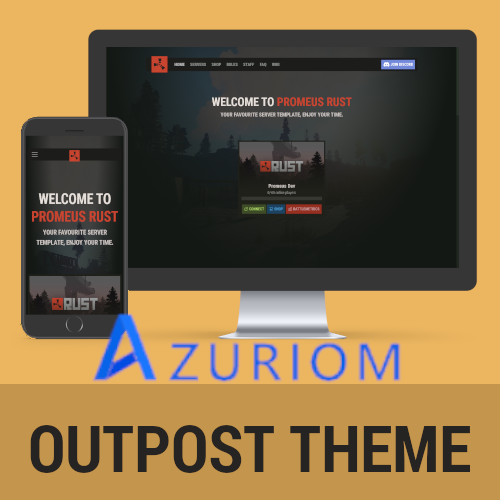
Azuriom Outpost Theme Experience the best of our popular Outpost Website Template, now seamlessly integrated with Azuriom. The Azuriom Outpost Theme is your all-in-one solution for displaying server cards, shop details, rules, staff profiles, and FAQs—all in one place. A built-in configuration panel makes it simple to enable, disable, and personalize every section on the homepage, ensuring a tailored fit for your community. Enjoy a sleek, modern design backed by the ease of Azuriom, and create an inviting experience for your players with minimal setup required. ### 1. Place the theme in the directory 1. On your server (or local environment), locate your Azuriom installation folder. 2. Inside that folder, you should find a `resources/themes/` directory. 3. Unzip the downloaded file to the /promeus folder with its contents. Place this folder inside `resources/themes/`. > **Example path:** > `azuriom-installation/resources/themes/promeus` ### 2. Activate the theme in Azuriom’s admin panel 1. Log into your Azuriom admin dashboard. 2. Go to **Extensions** -> **Themes**. 3. You should see the newly placed theme listed. 4. Click "Enable” for the theme you just uploaded. ### 3. Customize or configure the theme - Upload any required assets (like logos, background images, etc.) to the theme/assets/ folder. - After activation, you can configure the theme’s settings using the **Edit Config** button on the Themes page..$24.99 -
Version 1.1.1
35 downloads
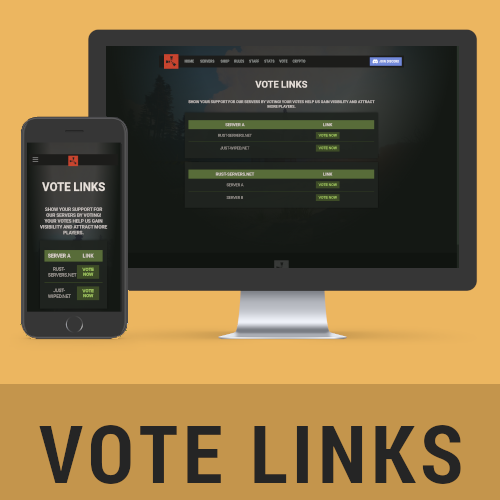
Vote Links Add-On for the Outpost Template The Vote Links Add-On is the perfect enhancement to your Outpost template, designed to seamlessly integrate and provide a dedicated page for displaying vote links. Whether you run one server or multiple, this add-on simplifies the process of showcasing vote links and encouraging player engagement. --- Key Features - Customizable Vote Page: Create a unique voting page tailored to your server setup. Display vote links per server or organize them by vote site, giving players clear and intuitive access to support your community. - Easy Configuration: Manage all links and page settings through a simple configuration file. Add or edit server names, vote site links, and page preferences effortlessly, without requiring complex coding knowledge. - Seamless Integration: Built specifically for the Outpost template, this add-on blends seamlessly with your existing site design for a consistent and professional appearance. - Responsive Design: The Vote Links page is fully optimized for all devices, ensuring a smooth user experience whether visitors are on desktop, tablet, or mobile. --- Benefits - Increase Player Engagement: Encourage your community to vote for your servers by providing a clean, centralized location for all vote links. - Boost Server Visibility: Highlight your servers on popular voting sites, attracting more players and growing your community. - Professional Look: Showcase your vote links in an organized, polished layout that matches the sleek design of your Outpost template. - Streamlined Management: Simplify updates and changes with the straightforward configuration file, keeping your Vote Links page up-to-date with minimal effort. --- Why Choose the Vote Links Add-On? This add-on provides a simple yet effective way to engage your community and boost your servers' popularity. With its user-friendly features, seamless integration, and professional appearance, the Vote Links Add-On is an essential tool for any Rust server owner who uses the Outpost template. --- Note: The Vote Links Add-On is specifically designed to integrate with the Outpost template. Ensure you have the template installed to take full advantage of this powerful add-on. For more information or to purchase the Outpost Template, visit here.$9.99 -
Version 1.1.1
38 downloads
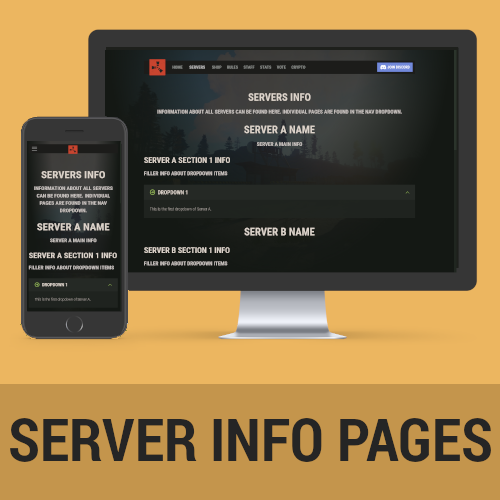
Server Pages Add-On for the Outpost Template The Server Pages Add-On is a versatile tool designed to integrate seamlessly with your Outpost template, enabling you to create dynamic, information-rich pages for each of your servers. With dropdown sections and customizable settings, this add-on provides an organized and user-friendly way to showcase detailed server information to your community. --- ### Key Features - Customizable Server Pages: Create dedicated information pages for each of your servers, complete with dropdown sections to display relevant details such as rules, features, maps, and more. - Easy-to-Manage Configuration: Server listings and their corresponding details are managed through a simple configuration file, making updates and changes quick and hassle-free. - Dropdown Navigation Integration: Each server gets its own link within a dropdown menu under the 'Servers' section in the navigation bar, providing easy access and a polished navigation experience for your site visitors. - Professional Design: The add-on seamlessly integrates with the Outpost template, maintaining the sleek and modern look of your site while adding functionality that enhances user engagement. - Fully Responsive: Server Pages are optimized for all devices, ensuring an excellent viewing experience on desktops, tablets, and mobile devices alike. --- ### Benefits - Centralized Server Information: Provide your community with a comprehensive, centralized location to access important details about each of your servers. - Streamlined Navigation: The dropdown menu integration ensures your visitors can quickly find the server they’re interested in without unnecessary clicks or confusion. - Customizable and Scalable: Add or update servers and their information with ease, allowing your site to grow along with your community. - Engage Your Community: Give players the information they need at their fingertips, building trust and fostering a professional image for your Rust server network. --- ### Why Choose the Server Pages Add-On? The Server Pages Add-On is the perfect choice for server owners who want to provide their players with an organized and visually appealing way to access server details. Whether you manage one server or a whole network, this add-on delivers the flexibility and functionality needed to keep your community informed and engaged. --- Note: This add-on is specifically designed for use with the Outpost template. Ensure you have the template installed to take full advantage of its features. For more information or to purchase the Outpost Website Template, visit here.$11.99 -
Version 1.1.0
19 downloads
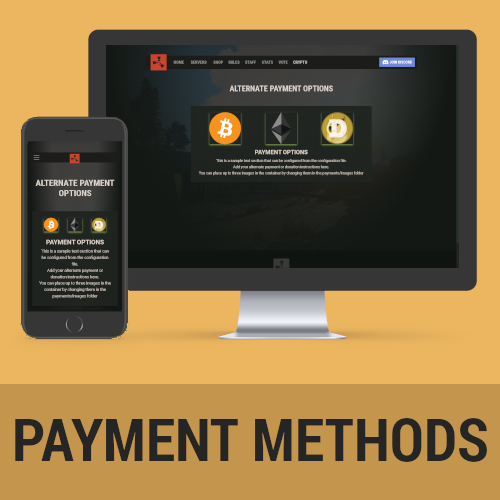
Alternative Payments Add-On for the Outpost Template The Alternative Payments Add-On is a streamlined solution for Rust server owners looking to offer flexible payment or donation options outside traditional methods. This add-on integrates seamlessly with your Outpost template, creating a clean and customizable page to display alternative payment instructions, ensuring supporters have multiple ways to contribute. --- ### Key Features - Alternative Payment Options: Provide clear instructions for non-traditional payment methods, such as payments through Discord, direct transfers, or other unique channels. - Customizable Design: Add up to three optional images to visually represent payment methods or showcase branding. Accompany these with instructional text to guide users through the payment process effectively. - Simple Configuration: Manage images, text, and other page settings through a straightforward configuration file, making updates quick and easy without the need for advanced technical knowledge. - Seamless Integration: Designed specifically for the Outpost template, this add-on blends naturally into your website’s layout for a polished, professional look. - Fully Responsive: The page is optimized for all devices, ensuring a consistent and user-friendly experience across desktops, tablets, and mobile devices. --- ### Benefits - Flexible Payment Options: Cater to a wider audience by offering alternative payment methods tailored to your community’s needs. - Clear and Accessible Information: Provide step-by-step instructions to ensure users understand how to complete their payments through alternative channels. - Enhanced Engagement: Build trust and encourage contributions by offering personalized and convenient payment options. - Professional Appearance: Maintain a sleek, cohesive website design with an add-on that complements your Outpost template seamlessly. --- ### Why Choose the Alternative Payments Add-On? The Alternative Payments Add-On is the perfect choice for server owners who want to accommodate diverse payment preferences. With its customizable options, easy configuration, and professional integration, this add-on ensures your community has all the tools they need to support your servers effortlessly. --- Note: This add-on is designed to work exclusively with the Outpost template. Ensure the template is installed to take full advantage of its features. For more information or to purchase the Outpost Website Template, visit here.$7.99 -
Version 1.1.1
164 downloads
ExtendedStats - The Ultimate Web Leaderboard Elevate your server with ExtendedStats, the next evolution of our popular SimpleStats leaderboard add-on. Packed with expanded tracking capabilities and advanced features, ExtendedStats is designed to offer a deeper insight into player activity and engagement on your Rust servers! --- Features Track an Unmatched Range of Player Statistics ExtendedStats takes server tracking to the next level by monitoring an extensive list of player activities across various categories: Combat: - Kills, Deaths, K/D Ratio - Arrows Shot, Bullets Fired - APC Kills, Heli Kills Gather: - Resources: Wood, Stone, Metal, HQ, Sulfur - Barrels Farmed, Animals Hunted, NPCs Killed Raid: - Explosives Used: Molotovs, Beancans, Grenades, Satchels, C4, Rockets, MLRS Launches - Traps Destroyed, TCs Raided Other: - Items Crafted, Items Deployed, Structures Built - Airdrops Looted, Crates Hacked Custom Stat Resets With ExtendedStats, server owners now have the option to reset stats automatically after a wipe. This feature is fully configurable, ensuring smooth leaderboard management aligned with your server's schedule. Make Your Server Stand Out Utilize stats tracking to engage your community! Offer prizes for top performers in unique categories—reward the best gatherer, fiercest raider, or deadliest combatant. The flexibility to reset leaderboards keeps your community dynamic and competitive. Comes with a Powerful Plugin ExtendedStats includes its own dedicated Oxide plugin for seamless data tracking. Built from the ground up, it avoids reliance on outdated solutions. A huge thanks to CASHR#6906 (Discord) for the foundation of our expanded plugin! Multi-Server Ready Manage multiple servers with ease! ExtendedStats allows you to compare player stats across servers and maintain continuity even through wipes. Fully Customizable and Includes 3 Free Designs ExtendedStats offers full customization, letting players sort and filter stats by any tracked category. It comes with three free designs, and integrating it into your existing website or custom design is effortless. Built for Performance Tested with up to 100,000 players tracked, ExtendedStats is optimized for speed and reliability. No matter the size of your community, this leaderboard can handle it! Universal Compatibility Whether you use the Rust Outpost Template or a custom website (including WordPress), ExtendedStats fits seamlessly into your setup. Its modular design ensures an easy integration process. --- See ExtendedStats in Action Explore our demo: [RC Servers] --- Requirements & Support - Webspace Requirements: Detailed requirements are outlined in our documentation. - Recommended Hosting: We recommend Hetzner for affordable and reliable hosting with all the necessary features. Their basic plan works perfectly! --- Installation & Troubleshooting Comprehensive installation instructions and troubleshooting guides are included in the documentation. --- Need Help? Contact Us! Got questions or need support? Join our community on Discord: [Promeus Discord] Installation and Documentation can be found on our website: [Promeus Dev] --- Upgrade to ExtendedStats today and give your server a competitive edge! *Product images are from this addon being used with our Rust Outpost Template$24.99 -
Version 2.0.3
44 downloads
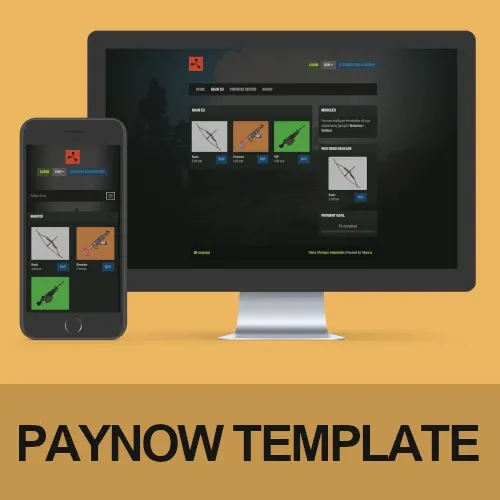
Rust PayNow Template - Outpost Theme Stand out from the competition with this Rust-themed PayNow template! Features Rust Themed The template is heavily inspired by the Rust in-game UI, so people will instantly recognize what they're used to. It is kept in a darkish style to stand out from all the other default-white templates out there! Fully Customizable Everything is directly integrated into PayNow. If you are already running a shop with them, it will integrate in a few minutes. If you are new to setting everything up do not worry - it is pretty straightforward! Perfect addition to the Rust Website Template If you didn't already know, we have published a Rust-themed website template before. Check it out over here. The PayNow template is heavily based on that, so if you plan to extend your existing website, try to give it a go! Demo https://promeus.paynow.store/ Requirements There are no requirements. PayNow offers shop owners custom templates in their free plan! Installation Instructions Installation instructions can be found on our Discord! Troubleshooting If you have any open questions or problems while setting everything up, ask for help on our Discord! Contact and Support If you need additional assistance or have any open questions before purchasing, join us on Discord!$29.99 -
Version 1.2.0
80 downloads
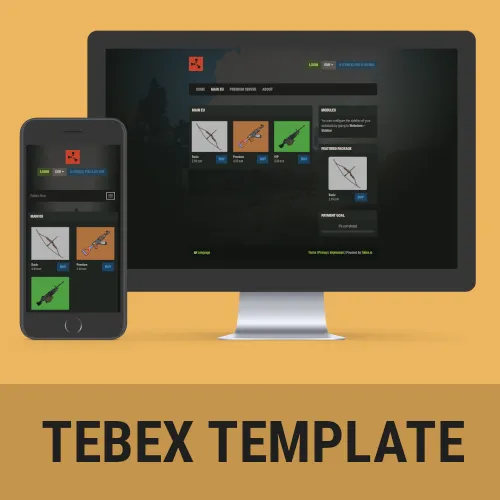
Rust Tebex Template – Outpost Stand out from the competition with this Rust-themed Tebex template! Features Rust Themed The template is heavily inspired by the Rust in-game UI, so people will instantly recognize what they’re used to. It is kept in a darkish style to stand out from all the other default-white templates out there! Fully Customizable Everything is directly integrated into Tebex. If you are already running a shop with them, it will integrate in a few minutes. If you are new to setting everything up do not worry – it is pretty straight forward! Comes with product images Product images make you stand out and allow to get attention from your players. The template comes with a few basic product images so you can focus on getting everything set up! Perfect addition to the Rust Website Template If you didn’t already know, I have published a Rust-themed website template before. Check it out over here. The Tebex template is heavily based on that, so if you plan to extend your existing website, try to give it a go! Requirements ! You need to have the paid Tebex Plus plan to be able to use custom themes! We do not refund payments if you don’t have the plan available. ! Installation Instructions Installation instructions can be found on our Discord Troubleshooting If you have any open questions or problems while setup, check out the troubleshoot guide on our Discord Contact and Support If you need additional assistance or got any open questions before purchasing, join us on Discord: https://promeus.io/discord$29.99 -
Version 1.1.1
40 downloads
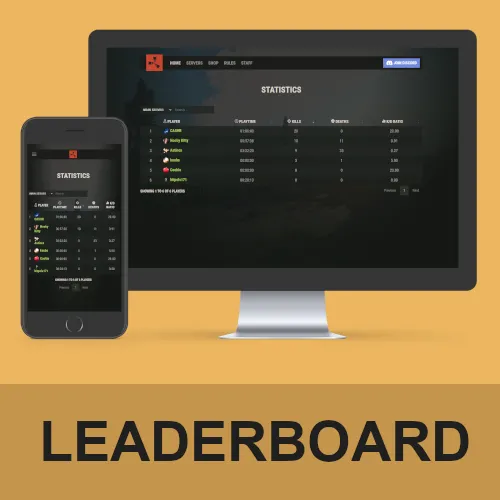
SimpleStats – Web Leaderboard Stand out from the competition with these easy-to-integrate statistics for your website! Features Make your server unique Tracking statistics offers unique opportunities. Offer special prizes for your monthly or weekly best or active players. You can reset the leaderboard whenever you want! Who wouldn’t like free VIP next month if he has the most playtime? Comes with its own plugin Instead of relying on sometimes outdated and old statistic plugins, SimpleStats comes with its own Oxide plugin. Multi-server options SimpleStats allows you to track the statistics of your players on multiple servers. Easily compare players on servers wipe after wipe! Fully customizable + 3 different designs for free! The statistics website is fully customizable. Your players can sort by Kills, Deaths, KDR and playtime. It also comes with 3 different designs (for free) by default. If you have a custom website and want it integrated there, no problem: Editing the style files was made extremely easy! Tested for up to 100,000 players! Worried about the performance of your website? The script was tested with a total of 100.000 players tracked. It will easily support almost 99.99% of all servers. If you ever experience any issues, hit us up! Compatible with the Rust Outpost Template or your own website! If you do own the Rust Outpost Template, you will be easily able to integrate this statistics plugin within just a few minutes. However, do not worry: Even if you’re using a custom website, WordPress or anything else: SimpleStats was made with modularity in mind, you will be able to set it up anywhere. Demo https://dev.fabito.net/rust-template/stats.php Webspace Requirements You can see all the requirements on our Discord Recommended Webhoster If you are not with a hosting company yet, we recommend using Hetzner. They offer great and cheap hosting with all the requirements. You can go with their cheapest plan without an issue, as it includes a database. Installation Instructions Installation instructions can be found on our Discord Troubleshooting Additional information and help to troubleshoot issues can be found on our Discord Contact and Support If you need additional assistance or got any open questions before purchasing, join us on Discord: https://promeus.io/discord$19.99 -
 Hi there! If you're using the newest version and the Battlemetrics API (data API in your config) then you do not need any open ports as it requests data from Battlemetrics. If you use sourcequery as data source, then you need to open the ports of your gameservers. So if you have 3 gameservers 20015, 20016 and 20017 as example, open all of these. However, thats not needed if you use the newest version and have battlemetrics set (default) The compatibility check is not required anymore since the new version. Only requirement is the PHP version to be at least 8.0.
 -
Anytime. I hope you get through whatever it is that your country is getting through. If you need any help feel free to join us on our Discord over at https://promeus.io/discord, there are a lot of great people over there already using those products (including myself) who are more than willing to help you get started. No worries about the money, I'm glad you like the product and I appreciate any kind of support. If you can't afford it, you can also support me and my work by simply recommending it to others or leaving a review over here. Thanks for the purchase, hope you like it!
-
Hi, the SRTbull code is currently only for another marketplace. It is on sale again for 19.99 now, but I usually do not give any fixed dates on when I put products on sale as this varies a lot based on different criteria I can't forsee. Yes, removing the files and then replacing them would work.
-
Version 1.1.1
383 downloads
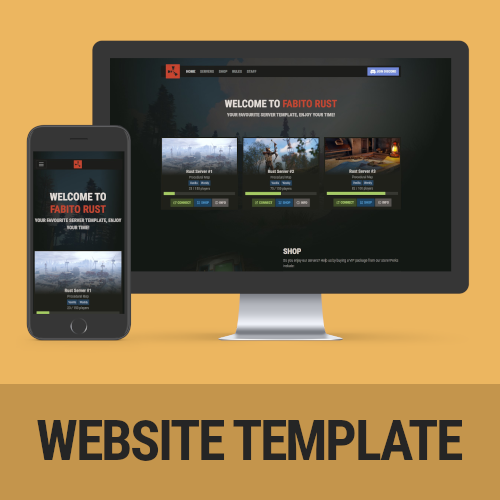
A feature-packed, fully customizable Rust server template that comes ready to go out of the box! Features include mobile responsiveness, server auto-discovery, and compatibility with the outpost Tebex theme! Features Rust Themed - The template is heavily inspired by the Rust in-game UI, so people will instantly recognize what they’re used to. It is kept in a darkish style to stand out from all the other default-white templates out there! Server Auto-Discovery - No need to manually add server information anymore. The inbuilt auto-discovery automatically updates your server information every 10 minutes and caches it (for website performance). It is automatically connecting information about the map, the player amount, server name, your banner, the description, and the tags used in game. All you have to do is add your IP + Ports to the config file! Fully Customizable - The template was developed with non-developer server owners in mind. Even if you have no idea about web development you can easily edit the most important parts of the template. This includes the links in the navigation, the servers (via auto-discovery), rules, and your social links. All from a single configuration file! Mobile Responsve & Extremely Fast - The template doesn’t only look good on the desktop. If you have someone checking out your site from a mobile phone, rest assured, it is mobile-ready! In addition to that, it has extremely fast loading times. Your site will not take longer than 200ms to load, once the server information is cached. Comes ready to use - The rust server website template comes with example values in the configuration file, including a basic ruleset. Setting up your website will not take longer than 15 minutes! Compatible with the Tebex Rust Output template! - If you do not run your own shop, do not wait! This template looks amazing in combination with the Tebex Outpost Theme, which I made as well. Thats the perfect combo of both Shop and Content! Demo https://dev.fabito.net/rust-template Webspace Requirements You can see all the requirements on our Discord Recommended Webhoster If you are not with a hosting company yet, I recommend using Hetzner (https://www.hetzner.com/webhosting). They offer great and cheap hosting with all the requirements. You can go with their cheapest plan without an issue. Buy the website, edit the config.php, get the FTP information from their cotnrol panel, upload all the files (on Hetzner: into the public_html folder, delete any existing files in that folder) – now you’re ready to go! Installation Instructions Installation instructions can be found on our Discord Troubleshooting Additional information and help to troubleshoot issues can be found on our Discord Contact and Support If you need additional assistance or got any open questions before purchasing, join us on our Discord: https://promeus.io/discord$29.99