
- Prefabs
- 1,242
- Unique prefab types
- 142
- Placement span (X × Y × Z)
- 406.7 × 70.9 × 250.1 m
- Terrain layers
- None
- Tool Crate
- Blue Puzzle Door ×2
- Card Reader
- Repair Bench
- Workbench Level 2
- Workbench Level 3

- Prefabs
- 586
- Unique prefab types
- 62
- Placement span (X × Y × Z)
- 557.5 × 86.0 × 263.2 m
- Terrain layers
- None

- Prefabs
- 563
- Unique prefab types
- 48
- Placement span (X × Y × Z)
- 137.6 × 46.5 × 27.7 m
- Terrain layers
- None

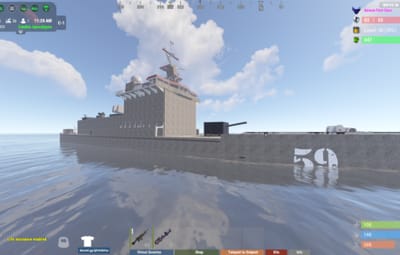
About Destroyer Class
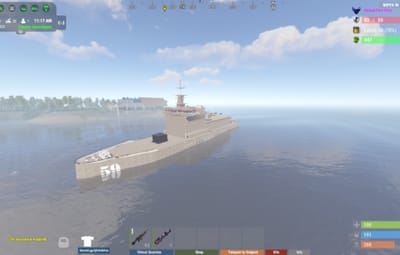
The Arleigh Burke-Class Destroyer
This class of Destroyer is able to conduct anti-aircraft warfare with Aegis and surface-to-air missiles; tactical land strikes with Tomahawk missiles; anti-submarine warfare with towed array sonar, anti-submarine rockets, and ASW helicopters; and anti-surface warfare with Harpoon missiles. An update to the phased radar systems and the associated missile payloads as part of the Aegis Ballistic Missile Defence System, this Destroyer has a mobile anti-ballistic missile and anti-satellite platforms.
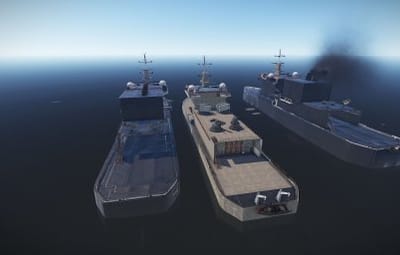
This is a standalone prefab of the ship in 3 variations.
Weapon Systems:
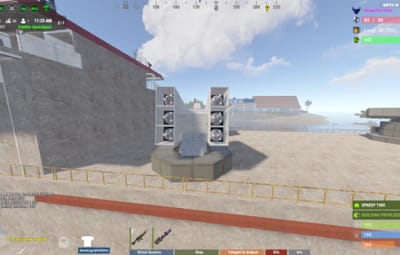
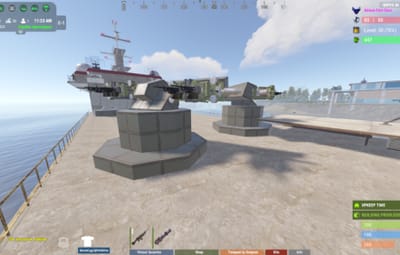
- Two Phalanx close-in weapon systems, one on each side of the ship, which provides point defence against air and surface threats.
- Two 25 mm Mk 38 Machine Gun Systems, one on each side of the ship, designed to counter fast surface craft.
- One 5"/62 calibre Mark 45 Mod 4 gun, located forward of the 32-cell missile pack module VLS
- Located on the forward deck is the 5-inch Mark 45 gun. Directed by the Mark 34 Gun Weapon System, it can be used in anti-ship, close-in anti-aircraft, and naval gunfire support roles.
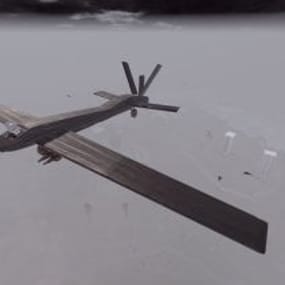
- Equipped with two hangars for stowing MH-60 helicopters (not included however check out the Apache Ah-64 Helicopter by https://codefling.com/disguise)
Prefabs: 1837
Please note:
- Download the prefab files and place them in your C:\RustEdit\CustomPrefabs directory
- The prefabs can then be accessed in the custom section of the prefab browser. Just pick the prefferred colour and model and use them in your maps.
- If the NPCs are not wanted, press the H key (overview of all prefabs) and delete them from the prefab.
Please note:
Download the prefab files and place them in your C:\RustEdit\CustomPrefabs directory
Questions and suggestions:
Help is needed? Do you have a question or suggestion?
Join my Discord to get in touch: https://discord.gg/FyNEXv6bxW