

.png.2349c49211090c8dca9500780f6f0e75.png)
-
Posts
226 -
Joined
-
Last visited
-
Days Won
2
Content Type
Profiles
Warranty Claims
Downloads
Forums
Store
Services
Downloads Plus Support
DOWNLOADS EXTRA
Support Replies posted by xNullPointer95
-
-
18 hours ago, MrLiquid said:
thank you
Added in v1.0.5
-
 1
1
-
-
Added in v1.0.5
-
1
-
-
5 hours ago, MrLiquid said:
ZoneManager has a NoTP flag that blocks teleporting, can you incorporate this into your plugin to block the destination if NOTP flag is set in a zone ?
Hi, i will do that and release lately on weekend.
BR
-
1
-
-
Changed Status from Work in Progress to Fixed
Changed Fixed In to 1.1.0
-
Changed Status from Not a Bug to Work in Progress
-
15 hours ago, NukeSter said:
Just an update with just this plugin running they shoot but don't move.
Hi @NukeSter, after analysis i found out that Rust changed scientists model type on oil_rig on previous update, they use Gen2 scientists now, thanks for reporting - I'm already working on a fix.
-
1 minute ago, NukeSter said:
I have disabled every plugin in my server but this one and I'm going to test
I will check it today night when im at home again.
-
Changed Status from Pending to Not a Bug
-
42 minutes ago, NukeSter said:
I figured it out, it all had to do with Vanish its weird when I'm in vanish the scientist on the oil rig disappear don't know if its a plugin conflicting with another but it is miner.
Lol thanks, thats weird - Alos had vanished active.
Thanks for letting me know tho.
-
Will close support request in 24hours if no new feedback arrives.
-
6 hours ago, NukeSter said:
There not even spawning now lol
There a spawn group commands.
The plugin doesnt prevent them from spawning lol
-
Just now, NukeSter said:
They havent spawned yet but Im talking the new scientists not the heavies
I just tried it in the meantime - It works for me, they dont shoot and dont move.
-
21 minutes ago, NukeSter said:
I just restarted and im testing now
Any feedback?
-
Just now, NukeSter said:
I just restarted and im testing now
Ok, thank you - Please let me know
-
21 minutes ago, NukeSter said:
My config
"FreezeAnimals": true,
"FreezeScientists": true,
"FreezeTunnelDwellers": true,
"MuteScientistRadioChatterSound": false
When you set it to true, did you reload the plugin and wait some time, it takes a short time to get effective.
-
Changed Status from Pending to Not a Bug
-
1 minute ago, MisterALX said:
Hello, not sure if you are still maintaining this plugin, but sometimes it works and sometimes it does not!
Sometimes we do not get bleeding, sometimes we do!
Hello, sure i do thats also the reason why i updated it some days ago.
Im pretty sure this comes from another plugin, since i hook into it and cancel the bleeding (doesn't matter from where bleeding was triggered).
So if there is any bleeding triggered it will get directly cancelled.
Did you consider that the permission name changed to "xnobleeding.use"?
If you know why i can help you and check it, otherwise not, since as i mentioned cancel the bleeding (doesnt matter how its triggered).
-
Changed Status from Pending to Not a Bug
-
I tried to make a fresh install of xPermissionManager:

As i guessed you might accidentally changed something - Just download it again and move it into plugins.
-
Good Morning,
english please - Did you change acidentally something?
Try to download and move ot again into plugins
-
Added in v.1.0.5
-
2
-
-
Changed Status from Work in Progress to Fixed
-
 1
1
-
-
Changed Status from Pending to Work in Progress
Changed Fixed In to Next Version
-
9 minutes ago, TopBuffalo said:
Good morning,
First, love the plugin, and will review here in a day or two.
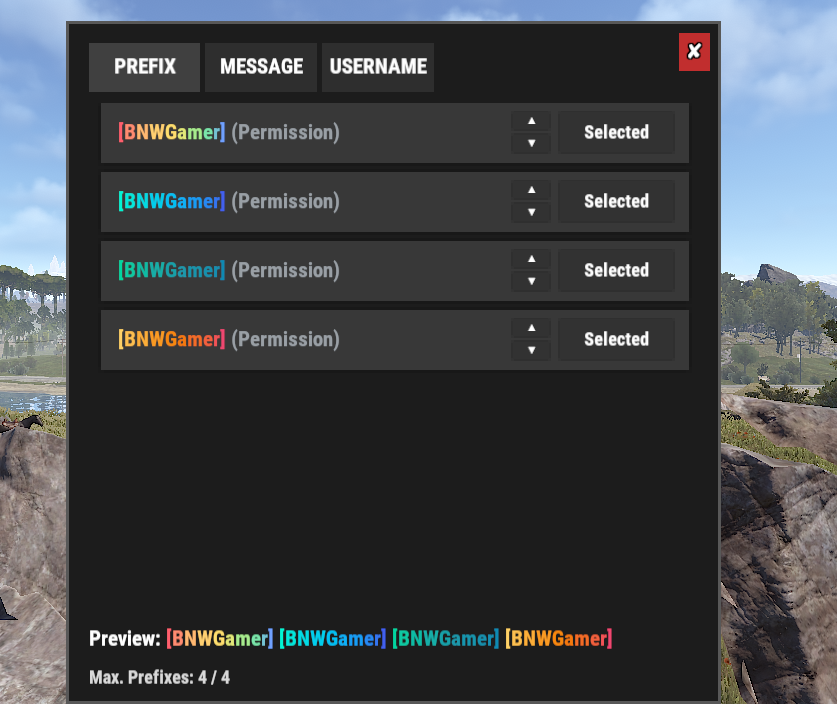
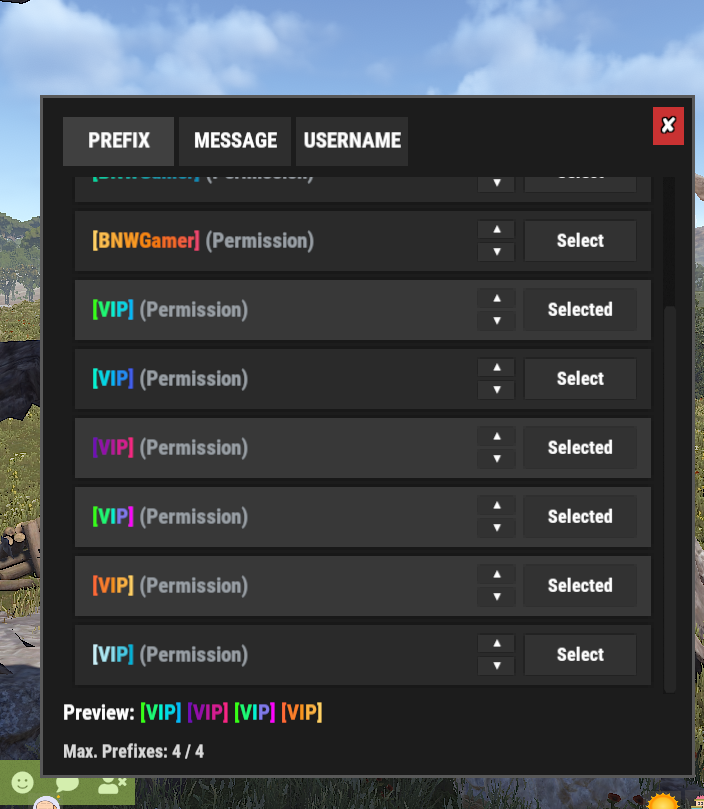
Is it possible to make it so a player can only choose 1 of a certain prefix? Example: We set up 4 different color schemes for players to choose from, a player can go in and choose all 4 options. I have 4 different titles they can choose from, with 4 options each, so I cannot reduce or eliminate the max number of prefixes. I would like to have it so if a player chooses one prefix, the other prefixes of that same name are then grayed out or removed from view so they cannot activate 4 of the same. Is that something you can do?
Good Morning,
thanks for reaching out and the feedback

I understand you want that players cannot use same title with same name. Thanks for the suggestion this makes much sense, i will add this in next update. (Ill add a new config like "AllowSamePrefixName" or so)
Thanks
-
2
-
-
Changed Status from Pending to Fixed
Changed Fixed In to 1.0.4
-
1
-
-
Just now, Notz said:
Error while compiling xWirelessPower: 'Pool' does not contain a definition for 'GetList' | Line: 877, Pos: 41
Ty - This is due the new update.
I'm fixing it now.
-
1
-
-
24 minutes ago, typical said:
Awesome, thank you so much for the fast response! I had a feeling the plugin wouldn’t be able to backtrack until it had time to run and collect its own tracking data. I’ll wait for the update and test again once it’s released
Youre welcome.
It wasn't a bug, but i just released a new version which lets you detect players which are not in config and if missing it moves that steamid automatically to the data file, so on next purge schedule they will be deleted :). I have also edited the plugin page with a description.
-
Changed Status from Pending to Fixed
Changed Fixed In to 1.0.4
-
Edit: I found a way to get a player list even if they weren't tracked because the plugin was just upload.
The idea is to fetch all them whoever was connected to your server and if its not in the datafile of xAutoPurge, that steamid gets into the datafile with the current date/time, so nobody is accidentally deleted and we catched the inactives.
Please wait for new version
-
9 minutes ago, typical said:
Hello, hope you’re doing well.
I’m currently testing xAutoPurge and trying to run purge.run manually, but nothing seems to purge even with aggressive settings. I have inactivity set to 3 days, and according to my server data there have been 193 unique players in the last 14 days — with roughly 60 players inactive for 7+ days (including some teammates who have not returned).
Based on the configured inactivity threshold, I expected some entities to be removed when running the command manually. Is there an additional requirement or condition that must be met for a purge to trigger (ownership checks, building privilege, data tracking, etc.), or is there a way to verify which players/entities qualify before running the purge?
Thanks in advance — just trying to confirm whether I’m misunderstanding how the purge criteria is evaluated or if something might not be functioning correctly on my setup.
For faster communication you can join the discord
https://discord.gg/rGm7VS5ERc
-
39 minutes ago, typical said:
Hello, hope you’re doing well.
I’m currently testing xAutoPurge and trying to run purge.run manually, but nothing seems to purge even with aggressive settings. I have inactivity set to 3 days, and according to my server data there have been 193 unique players in the last 14 days — with roughly 60 players inactive for 7+ days (including some teammates who have not returned).
Based on the configured inactivity threshold, I expected some entities to be removed when running the command manually. Is there an additional requirement or condition that must be met for a purge to trigger (ownership checks, building privilege, data tracking, etc.), or is there a way to verify which players/entities qualify before running the purge?
Thanks in advance — just trying to confirm whether I’m misunderstanding how the purge criteria is evaluated or if something might not be functioning correctly on my setup.
Hi, thank you for your purchase.
The thing is - Your purchase is 13hours ago, so the tracking started 13hours ago and no player is flagged as inactive, it can't purge retroactively inactive players since rust doesn't provide that data somewhere, thats the reason why it needs to be tracked.
I guess you have the correct config since its not much to configure and straight forwarded.
If you have a list of SteamIDs (even if its 193 players) from the inactive players, you can send it to me in discord and i will prepare you a statement to get those deleted retroactively with oxide/carbon commands once.
-
Changed Status from Pending to Not a Bug
-
-
Unfortunately i didn't receive any response yet.
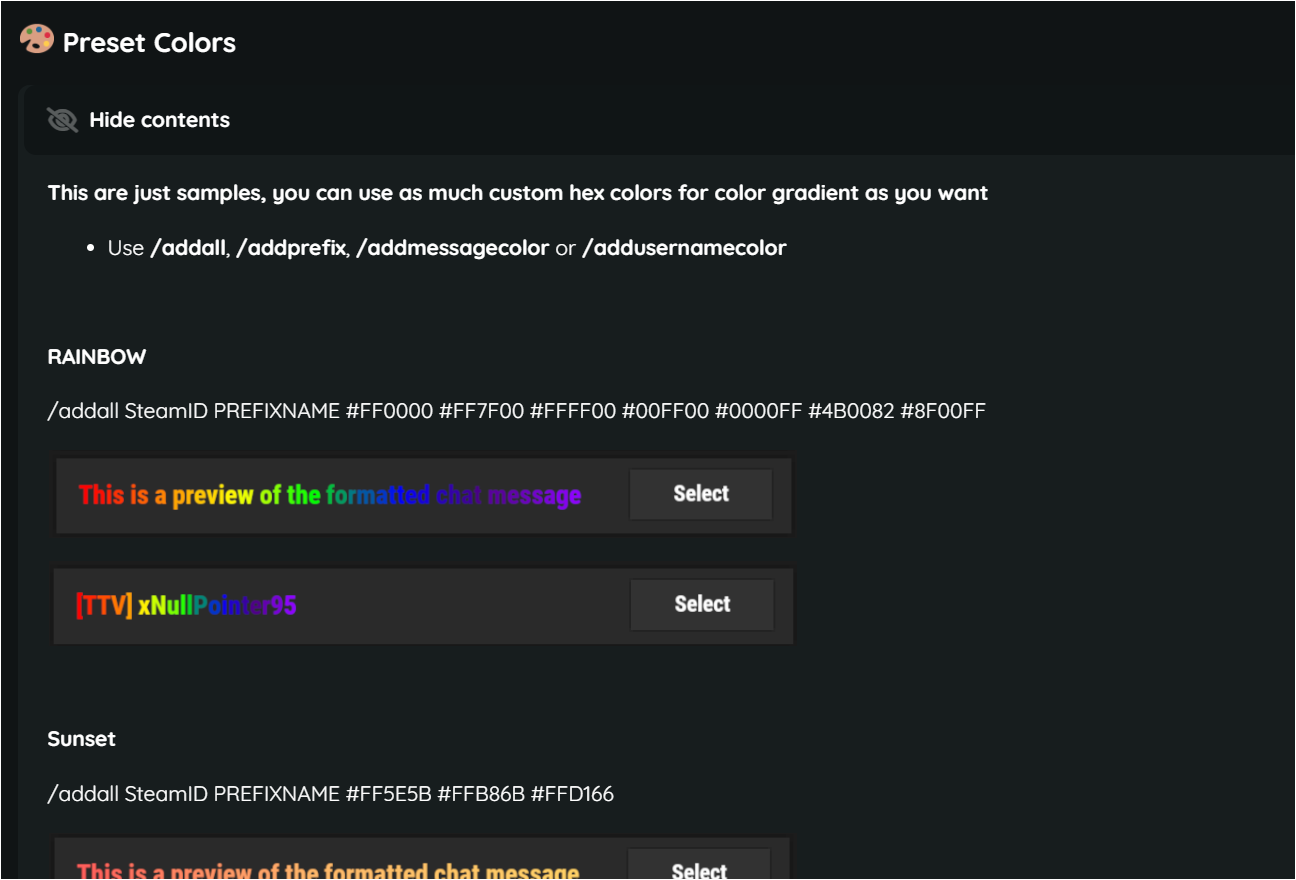
I added some presets at the plugin page.
The plugin works fine as expected and designed.
-
-
-
Changed Status from Pending to Closed
-
8 minutes ago, Lumin said:
Would of been nice if it came with preloaded Hex codes, you have to do exactly the same thing as you do with better chat when editing the file manually
Extra bonus would of it been able to auto detect ranks, opened up the UI in game and its empty, this is not worth the moneyI think you didnt understand how it works, how should it come with preloaded Hex Codes if it depends on SteamId.
The config of this plugin does only have "MaxPrefixes" not more, so i dont know what youre talking about.
You just have to use ingame/console commands - If you added a prefix to a player it will be shown in the Ui.
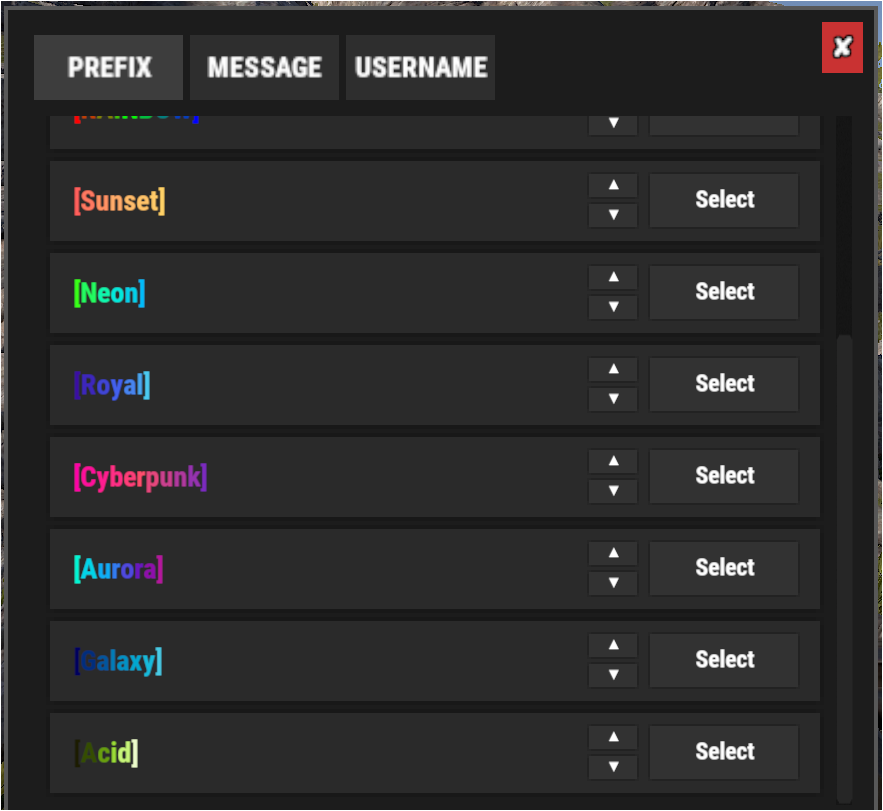
/addprefix <STEAMID> <PREFIXNAME> <#HEX> <#HEX> <#HEX>... and then the player can see and select it in the Ui.
Please explain exactly whats your issue, then i can help you. -
Changed Status from Pending to Closed
Changed Fixed In to 1.0.0
-
test
-
Changed Status from Closed to Not a Bug
-
Changed Status from Pending to Closed
Changed Fixed In to 1.0.2
-
Problem solved - Usererror (Looks like filetransfer of the plugin wasnt successful on his server, so the permission was not loaded, no plugin issue)
-
2 minutes ago, chenglong said:
I already have server administrator privileges and cannot grant further permissions. The system indicates that this command does not exist. xpermissionmanager.use
Hey, can you quickly PM me on Discord https://discord.gg/rGm7VS5ERc
I just tried it and it works normally for me
Come discord i will check your issue
-
Changed Status from Pending to Not a Bug
-
1 hour ago, MadDom said:
Currently I removed everything and rolled back to an backup.
I will check this on my test system, you could close this ticket.If I find something, I will contact you.
ThanksOK - Thanks
-
3 hours ago, MadDom said:
Hi,
I started auto purge with purge.run and it deleted all acitve users.
This is not okay, my config was the standard configuration.
Please check
Hello, i just retested it - "purge.run" is considering correctly the configurations.
Additionally i checked the code for it again and yes its considering the configurations, out of the code its not even possible to ignore the configurations with "purge.run" it also can not happen accidentally.
In fact the issue would've reported already if there were not correct purges, since the manual command uses the same methods as the automated one, there is no special behavior to it, its the same (Considering Configs etc..).
Only "purge.player PLAYERNAME" is ignoring the configurations as the explanation at console commands already says.
You said you use default config, so i assume players inactivity were 7 days+ then they do. I tested also mine with 6days and 6 and a half, still no purge.
If you know how to reproduce your personal issue with the plugin, you can contact me with explanation how to reproduce, data file & config file.
It is not a bug of the plugin.
-
1 hour ago, MadDom said:
Hi,
I started auto purge with purge.run and it deleted all acitve users.
This is not okay, my config was the standard configuration.
Please check
Hi,
sorry to hear that incident - I will check and retest when im home and give a feedback.
-
Fixed in version 1.0.2
-
Changed Status from Not a Bug to Fixed
Changed Fixed In to 1.0.2
-
19 minutes ago, Matnat said:
that's the way I did the config originally but found that even just apply the perms one at a time manually it would not work
It was just a suggested behavior for the next update
-
2 minutes ago, Matnat said:
ok no problem thanks
I think it makes sense if you have multiple permissions for same weaponname, the weapon capacity with most capacity will be taken
Example:
If we have this config
      "weaponName": "rocket.launcher",
      "capacity": 3,
      "defaultCapacity": 1,
      "permission": "xmagazinecapacity.rocketlauncher3"
    },
    {
      "weaponName": "rocket.launcher",
      "capacity": 6,
      "defaultCapacity": 1,
      "permission": "xmagazinecapacity.rocketlauncher6"
    },
    {
      "weaponName": "rocket.launcher",
      "capacity": 9,
      "defaultCapacity": 1,
      "permission": "xmagazinecapacity.rocketlauncher9"
    }
If we have all 3 permissions, rocketlauncher9 should be taken since its the permission which grants most capacity.
Does that sound good?
-
9 minutes ago, Matnat said:
this is how it is applied in skill tree with movement speed I tried the same with your mod but it would not work
"permissions": {
"description": "Upgrade the speed of your shoes and run faster",
"perms": {
"1": {
"perms_list": {
"MovementSpeed.run.1.2": "Run at 40% Faster"
}
},
"2": {
"perms_list": {
"MovementSpeed.run.1.4": "Run at 80% Faster"
}
},
"3": {
"perms_list": {
"MovementSpeed.run.1.6": "Run at 120% Faster"
}
},
"4": {
"perms_list": {
"MovementSpeed.run.1.8": "Run at 160% Faster"
}
},
"5": {
"perms_list": {
"MovementSpeed.run.2.0": "Run at 200% Faster"
}this is an example of how i had it your mod in skill tree
"perms": {
"1": {
"perms_list": {
"xmagazinecapacity.rocketlauncher": "3 shot mag rocketlauncher",
"xmagazinecapacity.drocketlauncher": "3 shot mag dragon rocketlauncher",
"xmagazinecapacity.rocketrpglauncher": "3 shot mag rpg launcher"
}
},
"2": {
"perms_list": {
"xmagazinecapacity.rocketlauncher2": "6 shot mag rocketlauncher",
"xmagazinecapacity.drocketlauncher2": "6 shot mag dragon rocketlauncher",
"xmagazinecapacity.rocketrpglauncher2": "6 shot mag rpg launcher"
}
}
}I edited my previous message 15minutes ago, but i think you didn't see yet and only saw the text before i edited it
-
I edited my previous message 15minutes ago, but i think you didn't see yet and only saw the text before i edited it
-
9 minutes ago, Matnat said:
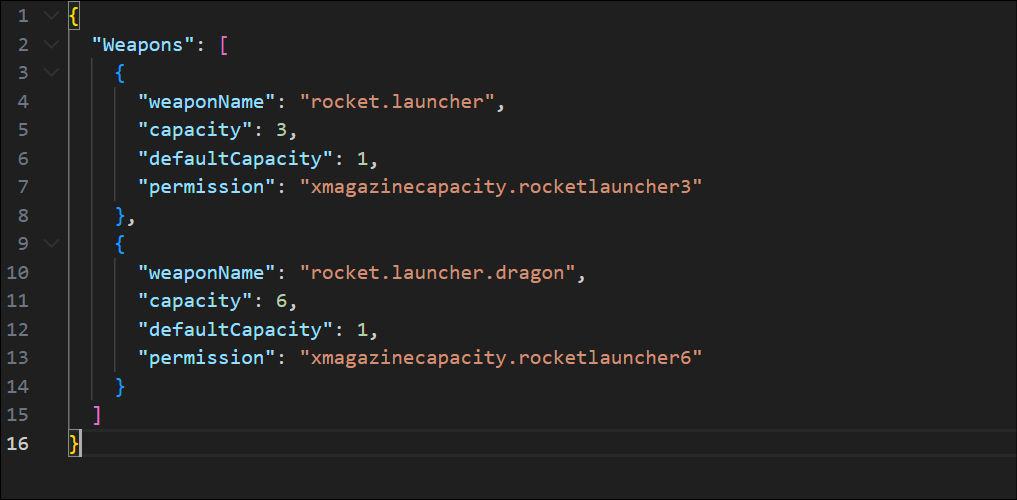
sorry i gave you a bad example try using muti perms on the same type of weapon i.e. just use weapon "rocket.launcher" for both perms
{
"weaponName": "rocket.launcher",
"capacity": 3,
"defaultCapacity": 1,
"permission": "xmagazinecapacity.rocketlauncher3"
},
{
"weaponName": "rocket.launcher",
"capacity": 6,
"defaultCapacity": 1,
"permission": "xmagazinecapacity.rocketlauncher6"
}Edit: I get what you mean now, your provided example before was really bad since it was a normal config...
The reason for it is, it checks weaponName not permission - It will be fixed on next version.
Thanks for reporting it. -
Changed Status from Closed to Not a Bug
-
Changed Status from Pending to Not a Bug
-
Hi @Matnat,
i retested your described issue and i didn't end with any faulty behavior.
I used same config as you shared:
Do you have the "Weapons": text in your config?
Here is also a Video to prove it is working - You are doing something wrong, did you reload the plugin when you changed the config? Its working as expected, your issues must come from somewhere else.
-
Hi @Matnat
thank you - I will test this if theres an issue or something.
I cant imagine that the plugin is randomly stopping, since other users would've already reported it.
But as i said i will check and it will reply here again.
-
Changed Status from Pending to Closed
Changed Fixed In to 1.0.0
-
9 hours ago, Black-Ice said:
Worning now

Thanks! Glad its working now
-
Hi, the plugin should still work. Doesnt seem a problem for other users of the plugin.
Try to change the permission to "xmagazinecapacity.rocketlauncher" instead of "xmc.rocketlauncher".
Reload Plugin and give me feedback please.
Thank you
-
Changed Status from Pending to Not a Bug
-
18 minutes ago, WarisGG said:
I understand. The idea was to make it so users with X permissions would have those mods together. I thought differently about it, but I'll adapt it as you say.
Another thing: the weapon still has the mods even after removing the plugin and restarting the server. I had to get another new weapon to get reloading back to normal.
Thanks for your feedback, will consider, that it switches to default capacity when unloading the plugin on the next update.
-
Hello, thanks for your purchase.
You have the same permissionId for every weapon, so if you grant permission "pack_bel" for default users, each user in group default (which are all players) will get access to the modified magazine capacity.
To be honest, i didnt try what happens when using the same permission for several weapons, you may try it with incremental numbers like "pack_bel1, pack_bel2" etc. so each is unique to use it in the meantime. I need to test it using same permission identifier for different weapons.
-
Ah okay, i also add it dynamically but as of the Button List settings i thought it lets me scroll horizontally/vertically then instead of Page 1,2,3 etc. - Thanks
-
-
Hi,
thanks for this tool - So far i struggled around and i got it now, its straight forward.
But, i have issues at the Horizontal/Vertical List - There is no error, but its not showing up, the referenced button is not visible in the game then, but also i dont see any list. I also tried to decrease the opacity of the panel, no success.
I've also tried with buttons, but i think its not supposed to use a button and add there the buttons, since its also missing in the code.
Could you quickly show me how to do a list correctly, please? This (the list) was the initial buy reason for me

Just a quick information (Syntax Error, improvement for next version): When exporting a Panel which contains a Button List, the export code is using a float for "maxx" and "miny", but isntead of using a dot (.) its using a comma (,) + variable used in iteration which doesn't exist.
> See here: float maxx = -130,6171f; float miny = 109,4894f; (I just changed it to a dot)
+
> See here (directly under the maxx, miny declaration):
for (int i = 0; i < option.Count; i++) {
if (i != 0) {
miny -= 0f;
"option" isn't defined, so we couldn't iterate through the loop. I'm not sure if we are supposed to create it, buts its an improvement for the next version for sure





any chance you can support
in Mark To Teleport
Posted
Changed Status from Pending to Fixed
Changed Fixed In to 1.0.5